Bring your records with you, and take them anytime.
Start with your price lists, then customers, then quilt history. BobbinBill shows you exactly what an import will create before anything is saved.
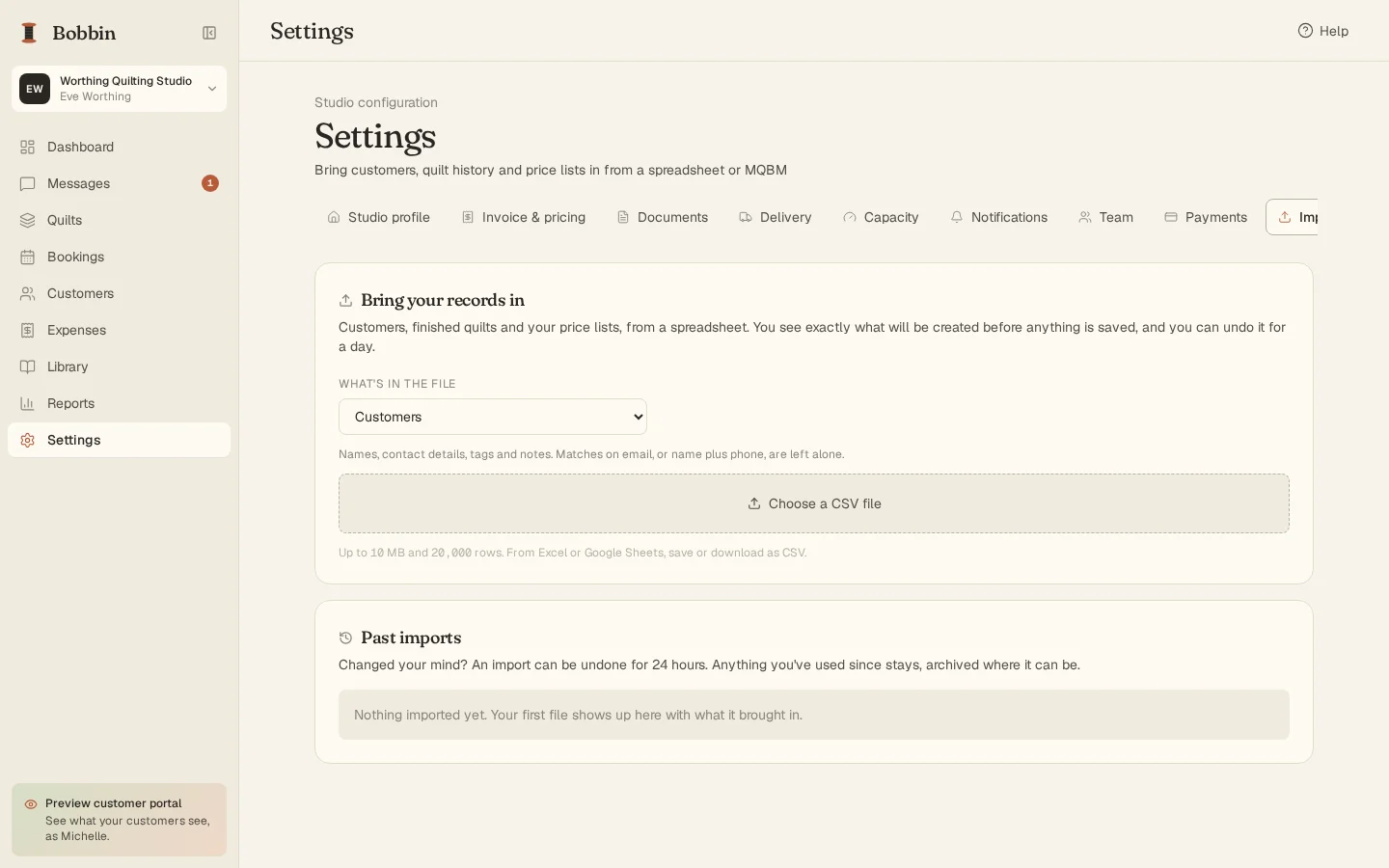
An import you can check first
Pick what the file holds, match your columns (BobbinBill guesses from your headers), and run a dry run: how many rows will be created, are already here or can't be read, with the first rows as they'll be saved.
- Customers, quilt history, quilting tiers, thread, batting, backing, binding and designs
- Files up to 10 MB and 20,000 rows
- Duplicates are recognized and left alone, never overwritten
- Undo an import for 24 hours
Your data is yours
Settings, Your data downloads everything as a zip of CSV files: customers, quilts, invoices and their lines, messages, expenses, mileage and every Library list. They open in Excel or anything else. Export as often as you like, including after a trial ends.
Coming from Machine Quilters Business Manager?
The help inside BobbinBill maps every MQBM module to where it lives here, and the switching page is honest about what's better and what isn't here yet.
Try it with your own quilts.
30 days free, no card needed. Then $24 a month or $240 a year, with everything included.