Coming from Machine Quilters Business Manager?
Most of what you know carries over. Here is, honestly, what BobbinBill does better, what MQBM has that we don't yet, and how to bring your records across.
What BobbinBill does better
- It goes where you go
BobbinBill runs in the browser on your computer, tablet or phone, so the quilt's page is with you at the frame. There's nothing to install, and your records are backed up for you instead of living on one PC.
- Totals that are always right
No Sum or Accept buttons. Every line and the total update as you type, and what you see is what the customer gets.
- Prices with units, quantities worked out
Every rate has a unit: square inch, foot, yard or meter, hour, quilt or turn. Batting, backing and binding are measured from the quilt's size and your allowances, with minimums, rounding and fit warnings.
- Payments as a ledger
Instead of a paid box, every payment is its own row. Deposits and part payments just work, the balance due is always current, and paid invoices lock so what was agreed never changes.
- Your customers can see their quilts
Each customer has a private portal page to approve estimates, follow progress, message you and pay, by Venmo or Cash App links or by card.
- A pipeline with a next step
Waiting, in the studio, ready, at a shop, returned, with work stages on the frame and one-click moves that each come with an undo.
- Capacity and bookings
Set what a week holds and BobbinBill gives every waiting quilt an estimated start, finds your next opening and warns you before you promise a date you can't make.
- Statements and photos
One statement for a customer with several quilts, with one pay link for the total. Several photos per quilt, taken straight from your phone.
What MQBM has that BobbinBill doesn't yet
- A shopping list
MQBM has a Shopping List module. BobbinBill doesn't have one yet.
- Stock counts and reorder points
BobbinBill marks threads and batting as in stock, low or out. It doesn't keep a count on hand or tell you when to reorder yet.
- More than one person in a studio
Today a BobbinBill studio has one login, the owner's. Inviting a helper or a bookkeeper with their own login comes later.
- Working offline on a desktop
MQBM is a desktop program that works without an internet connection. BobbinBill is a web app and needs a connection; there's no desktop app and no offline mode.
- Opening MQBM's own files directly
A reader for MQBM's data files is being tested with founding studios. Until it's ready, records come across from spreadsheets saved as CSV files.
- A profit and loss report
BobbinBill has revenue, sales tax, what's owed, expenses and mileage. A profit and loss view and a Schedule C export aren't built yet.
If any of these is the reason you'd stay, tell us at hello@bobbinbill.com. It helps us decide what to build next.
Where everything lives
The modules on MQBM's left bar, and where to find each one in BobbinBill. The same map is in the help inside the app.
| In MQBM | In BobbinBill |
|---|---|
| Customers | Customers, with each customer's quilts, portal link and notes on their page |
| Sales/Invoice | Receive a quilt for the intake, then the quilt's page. The charge tabs are sections of one form |
| Invoices | Print invoice and Print job ticket on each quilt's page |
| Work Log | The Quilts pipeline: one tab per stage, from estimate to returned |
| Waiting List | The Waiting tab on Quilts, plus Bookings for drop-offs that are promised but not here yet |
| Financials | Expenses for supplies, expenses and mileage, and Reports for revenue, sales tax and what's owed |
| Set-Up | The Library for price lists, designs, threads, batting, backing, binding, charges and partner shops, and Settings for tax, allowances and rounding |
| Shopping List | Not in BobbinBill yet |
How to switch
- 1Start a trial
Create your studio. You get 30 days free with no card, and you can keep MQBM running alongside while you get comfortable.
- 2Bring your price lists
Import quilting tiers, thread, batting, backing, binding and designs from CSV, or type the ones you use most into the Library.
- 3Bring your customers
Import them from a CSV file. A dry run shows what will be created before anything is saved, and duplicates are left alone.
- 4Bring your quilt history
Past quilts come in as returned quilts with an invoice for the total and any payment. Any import can be undone for 24 hours.
- 5Take your next quilt in BobbinBill
Price it, send the estimate, and watch it move through the pipeline. Your customer gets their portal link with the estimate.
Stuck getting your records out of MQBM? Write to us and we'll help you get them across.
How import works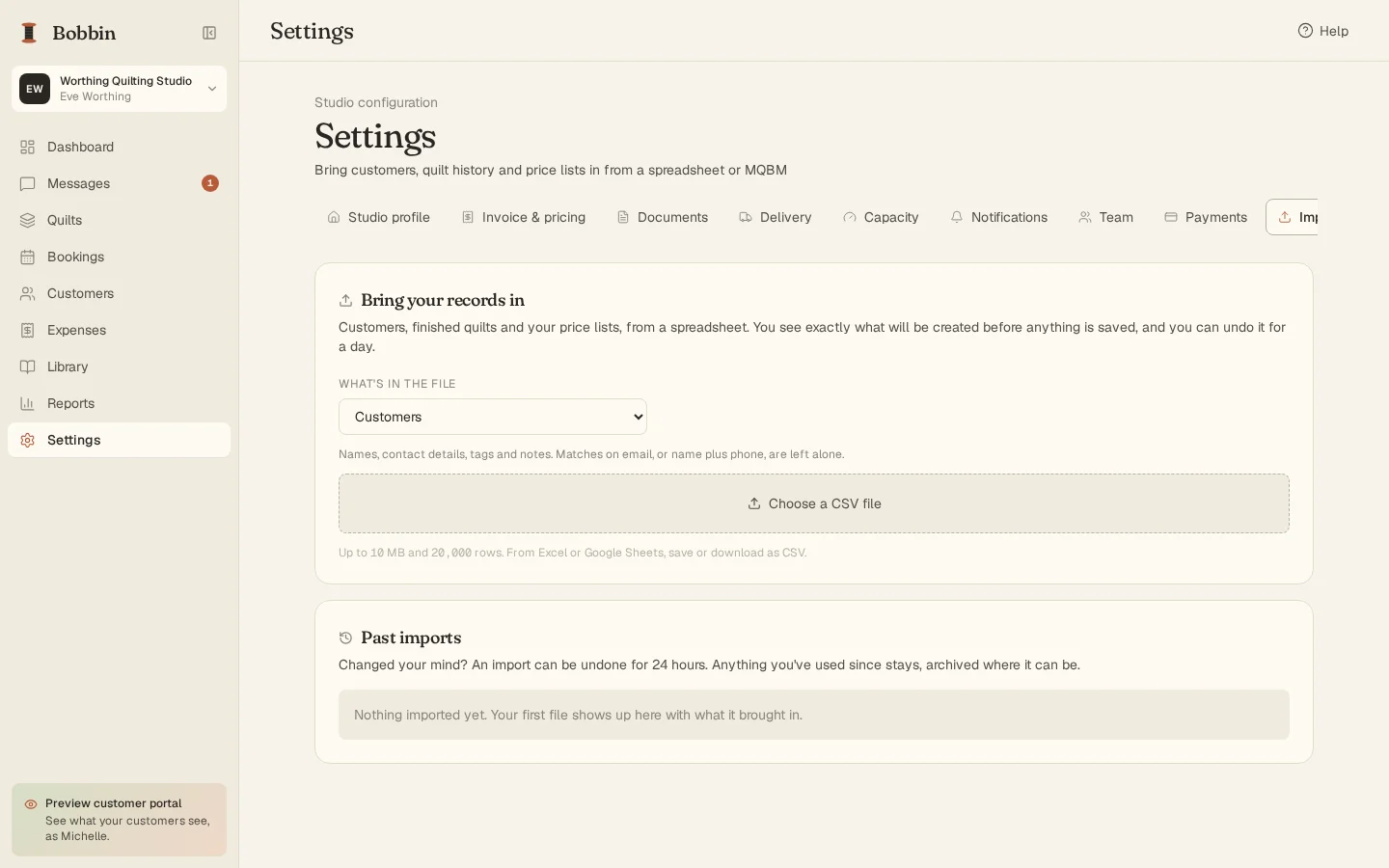
Machine Quilters Business Manager and MQBM belong to their makers. BobbinBill isn't affiliated with them, and this comparison is our own. If something here about MQBM is out of date, tell us and we'll fix it.
Try it next to MQBM for a month.
30 days free, no card needed. Then $24 a month or $240 a year, with everything included.